EduMatcher / Applications
Interfaces

Six windows,
one exchange

A trading workstation, a market wallboard, an order-book viewer, an operator dashboard, a log console and a configuration builder — all browser-based, all live. Plus the terminal tools that exchange engineers actually use.

One exchange, many ways in ONE EXCHANGE engine + gateways Trading GUItrader · :8093 TapeDeckmarket wall · :8090 Order Bookdepth · :8094 Operator Dashboardhealth · :8095 Log Consolelogs · :8091 Config Builderdesign · :8092 Terminal toolspm-alf-console · pm-viewer … Your codeALF · BALF · CALF · RALF · REST/WS

Anything you do in one interface shows up in the others within a second. Click any screenshot on this page to enlarge it.

Trading GUI

pm-trading-uilocalhost:8093read / write

A full trading workstation in the browser. Log in with an API key and the participant's role decides what you see.

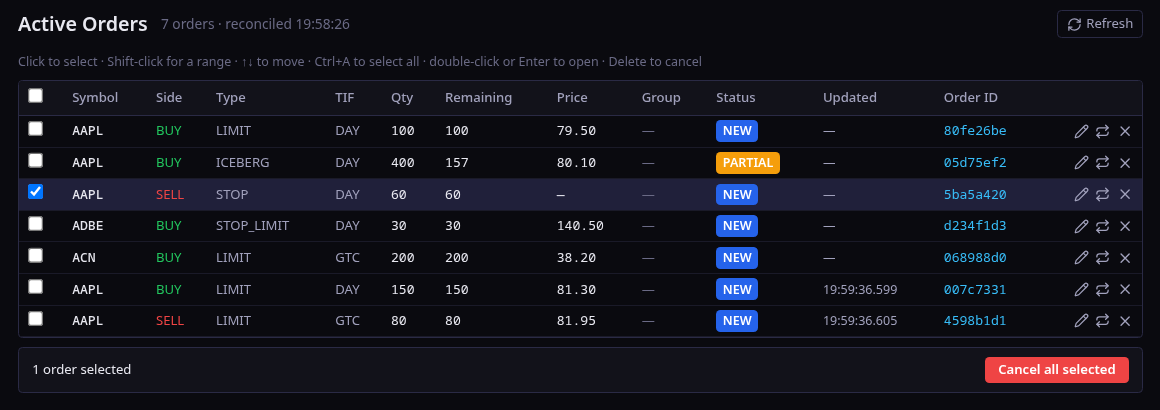
  • Trading Workspace — candlestick chart, 5/10/20-level depth ladder, order ticket, working-orders blotter.
  • Eight order types in the ticket: market, limit, stop, stop-limit, FOK, iceberg, IOC, trailing stop.
  • Click the ladder to pre-fill a ticket from a bid or an ask.
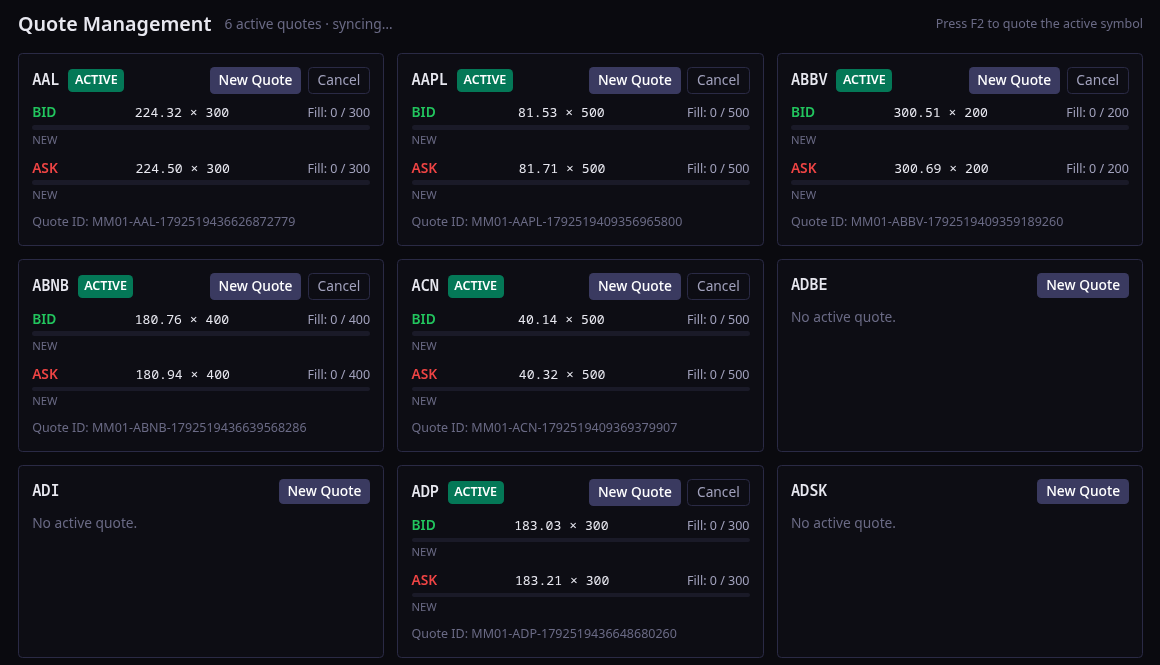
  • Market-maker view — a quote-management grid with live fills per symbol.
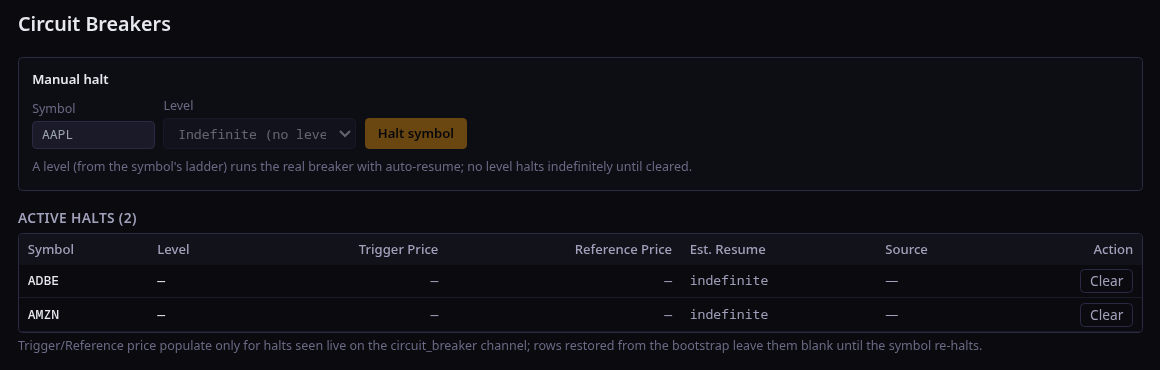
  • Operator view — session control, halts, circuit breakers and the kill switch.
  • Watchlist, news, positions and trade history; key held in memory only.
localhost:8093 — Trading Workspace
Trading workspace with chart, depth ladder, order ticket and orders
Market-maker quote management grid
Market-maker quotes
Active orders blotter
Active orders
Circuit breaker controls
Circuit breakers

TapeDeck

pm-terminallocalhost:8090read-only

The market at a glance — built for a projector at the front of the class.

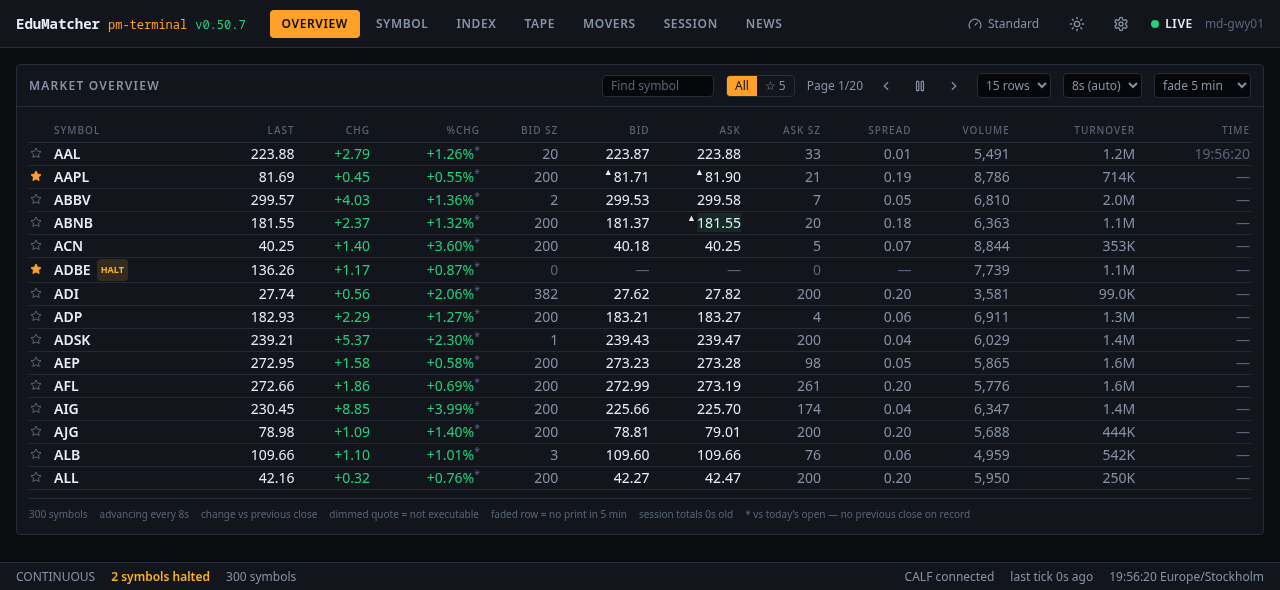
  • Overview of every symbol: last, change, bid/ask with sizes, spread, volume, turnover.
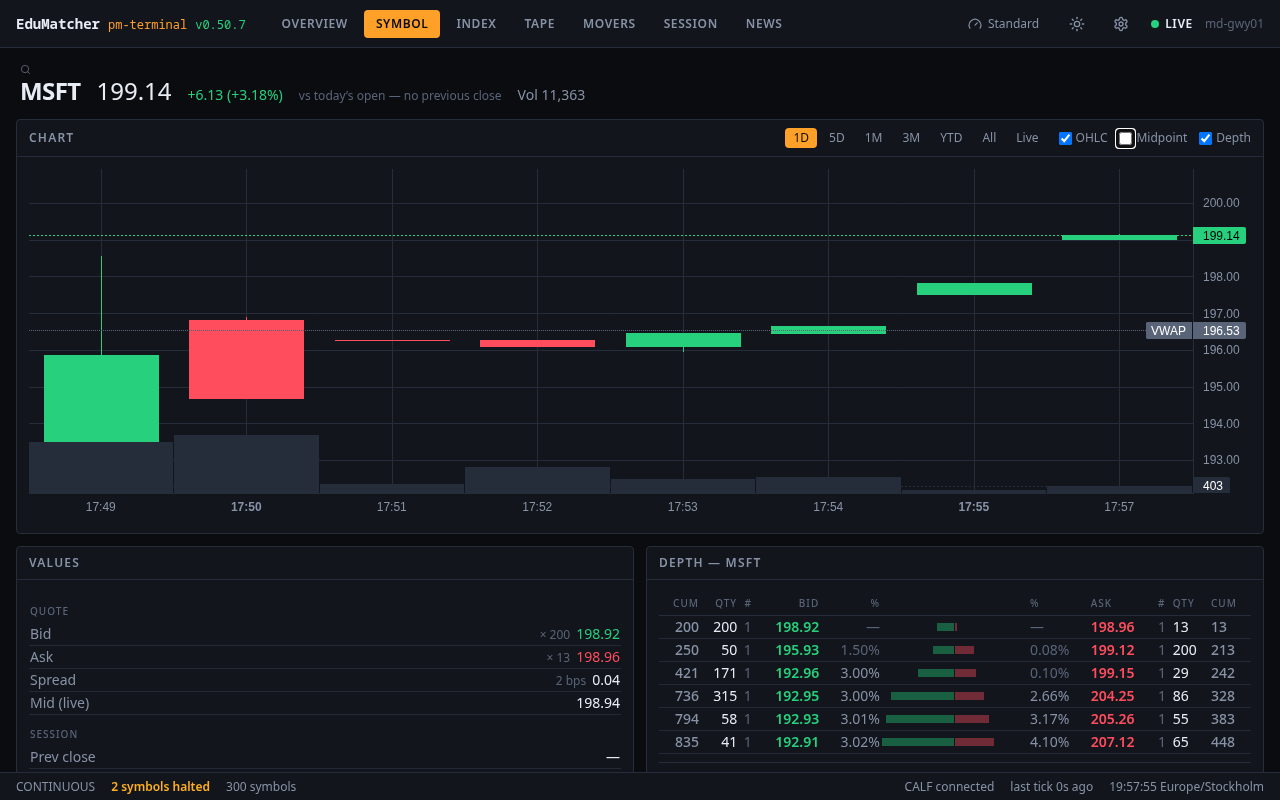
  • Symbol detail, index, tape, movers and news tabs.
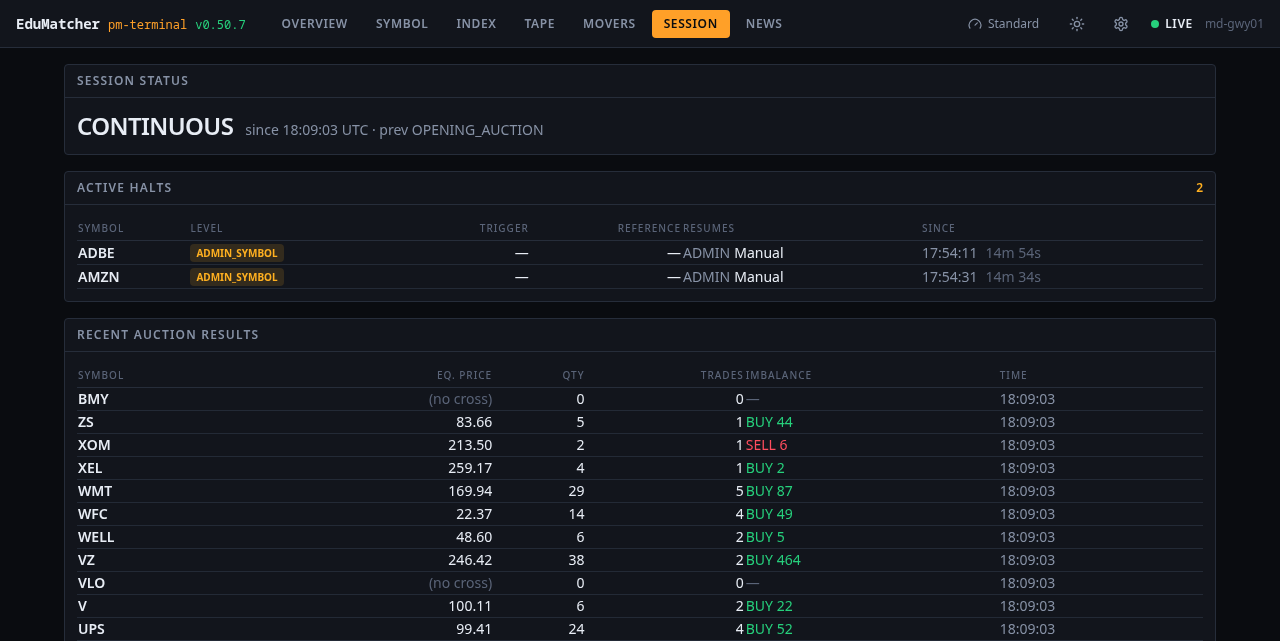
  • Session board — current phase, active halts with their reasons, and recent auction results with equilibrium price and imbalance.
  • Starred watchlist, adjustable paging and fade timers, light and dark themes.
  • Fed by the CALF market-data gateway, the same feed your own programs can subscribe to.
localhost:8090 — Market overview
TapeDeck market overview for 300 symbols
Session board with halts and auction results
Session board — halts & auctions
Symbol detail view
Symbol detail

Order Book Viewer

pm-booklocalhost:8094read-only

One symbol, every price level — the best way to watch matching happen.

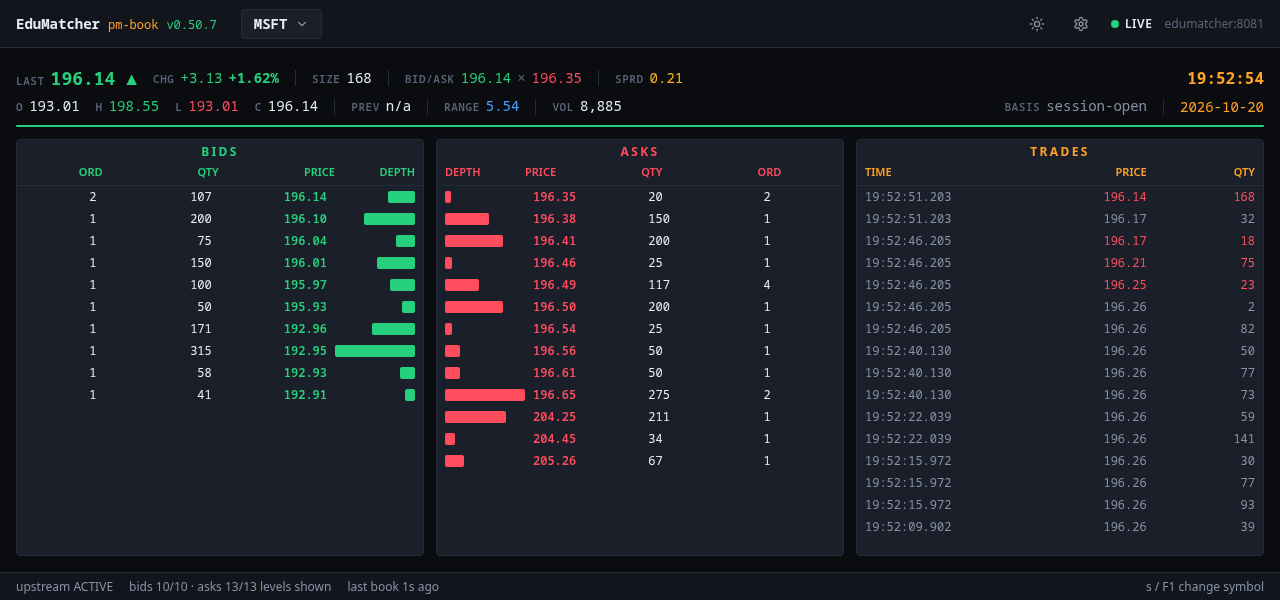
  • Bids and asks with order counts, quantity and cumulative depth bars.
  • Trade tape with millisecond timestamps, coloured by aggressor.
  • Session statistics: last, change, open/high/low/close, range, volume, spread.
  • Watch an iceberg refill, a stop trigger or an auction uncross in real time.
  • The browser companion to the terminal pm-viewer.
localhost:8094 — MSFT
Order book viewer with bids, asks, depth bars and trades

Operator Dashboard

pm-dashlocalhost:8095read-only

Is the exchange healthy, and how busy is it? One screen answers both.

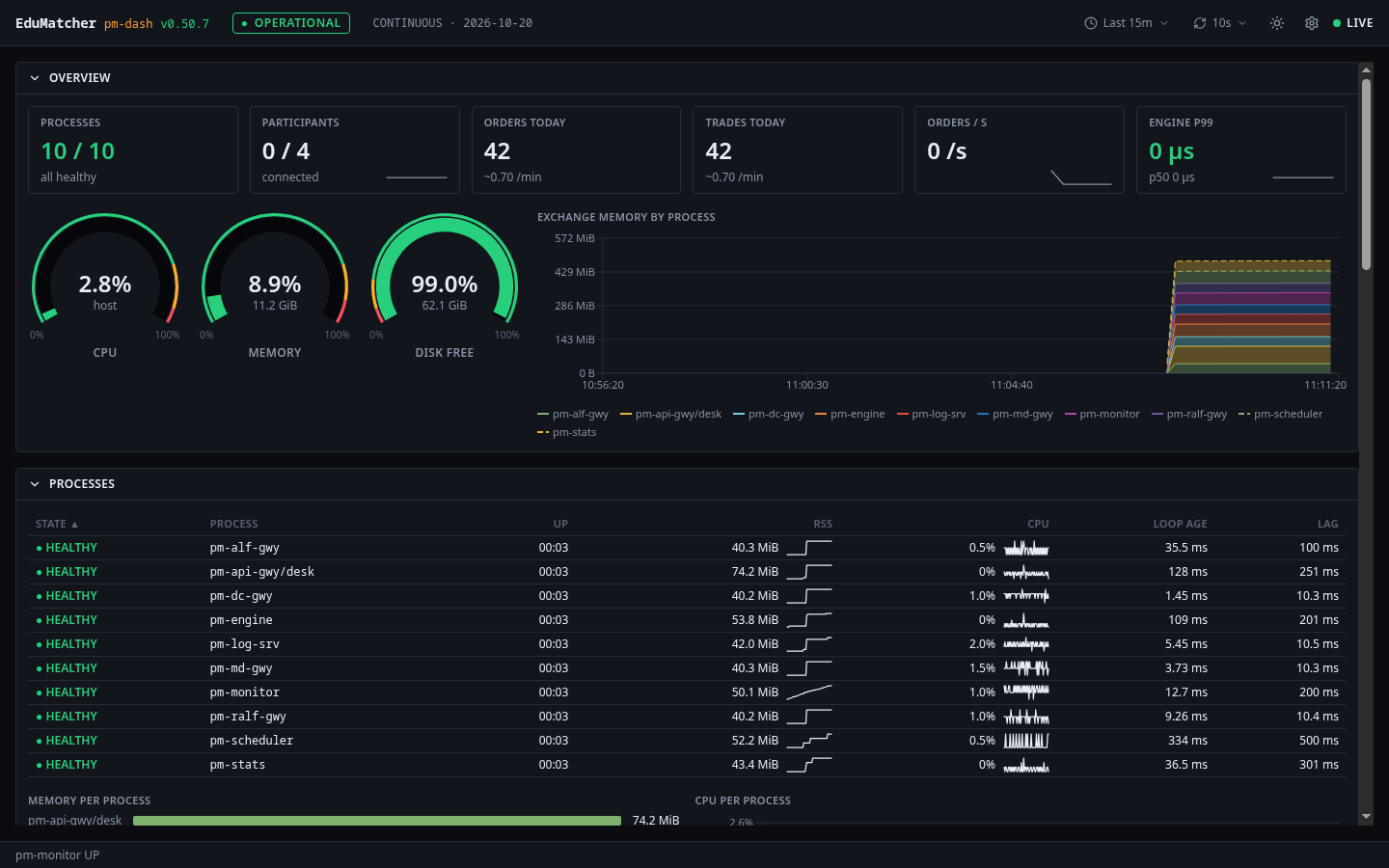
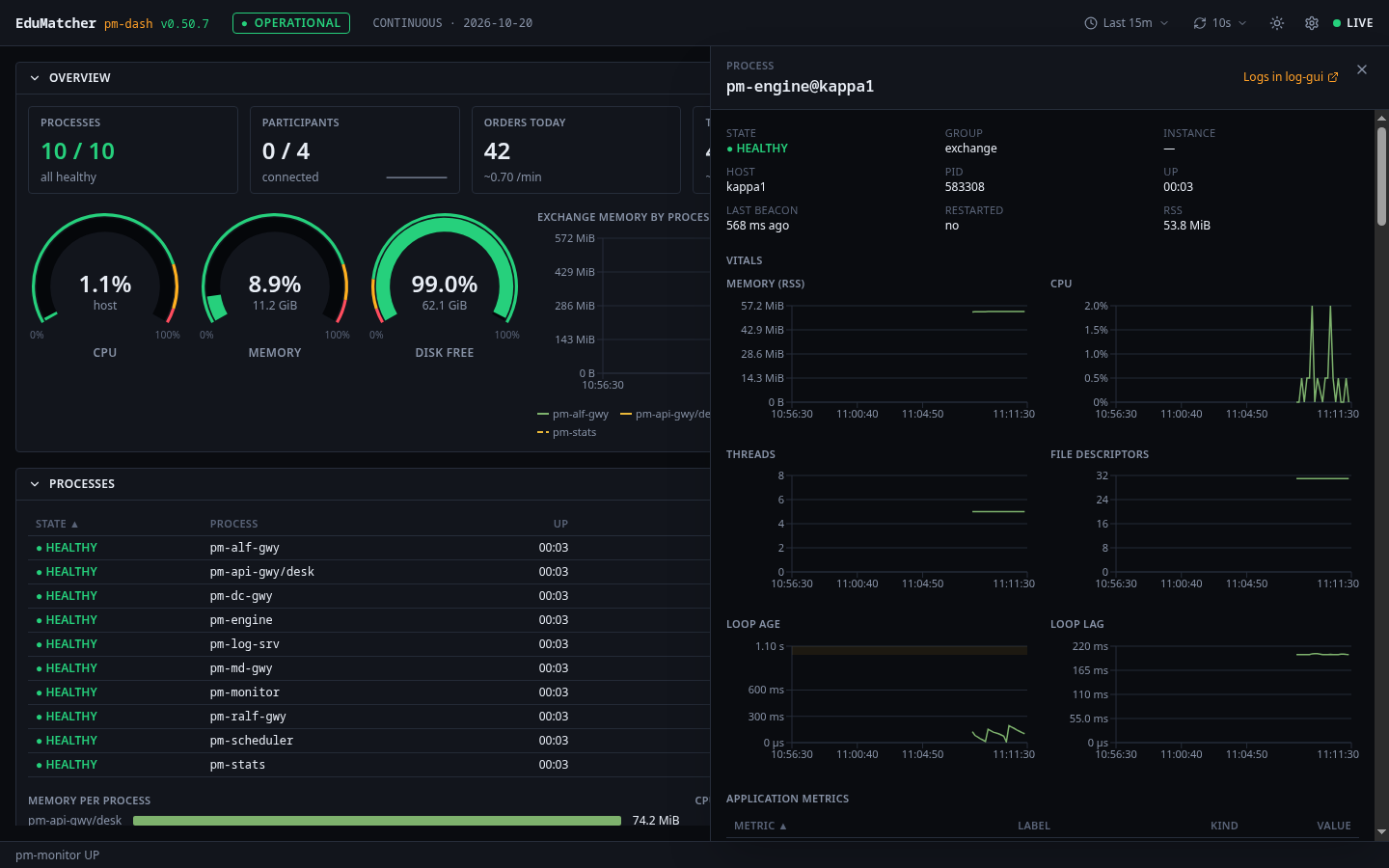
  • Process health — state, uptime, memory, CPU, event-loop age and lag for every pm-* process, with sparklines.
  • Host gauges for CPU, memory and disk, and memory-by-process over time.
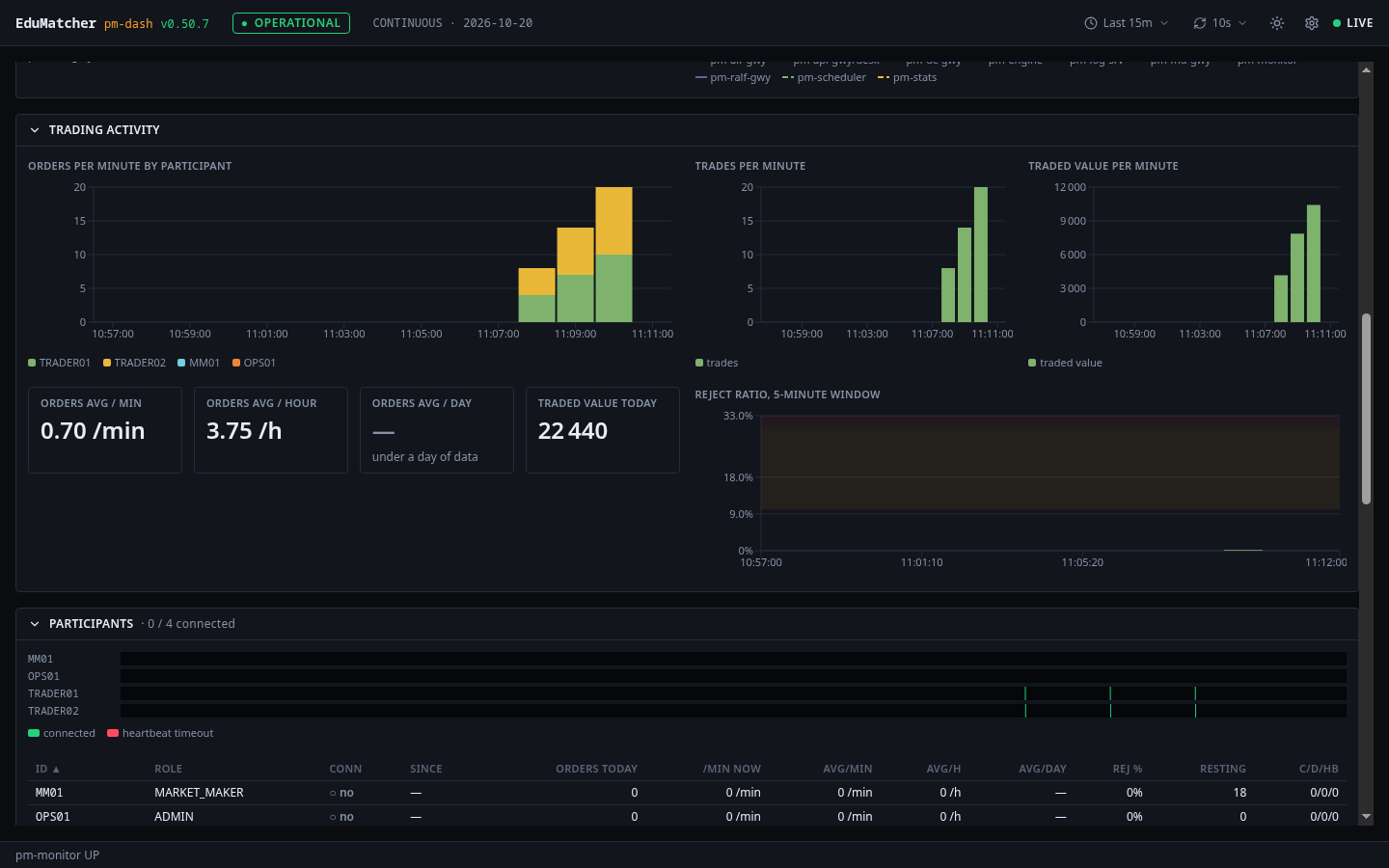
  • Trading activity — orders per minute by participant, trades, traded value, reject ratio.
  • Participants — who is connected, heartbeat timeouts, resting orders.
  • Engine P99 latency and throughput at the top.
localhost:8095 — Overview
Operator dashboard overview with health gauges and process table
Trading activity charts
Trading activity
Process detail drawer
Process drill-down

Log Operator Console

pm-log-uilocalhost:8091read-only

Every process ships structured logs to a central server. This is where you find out why.

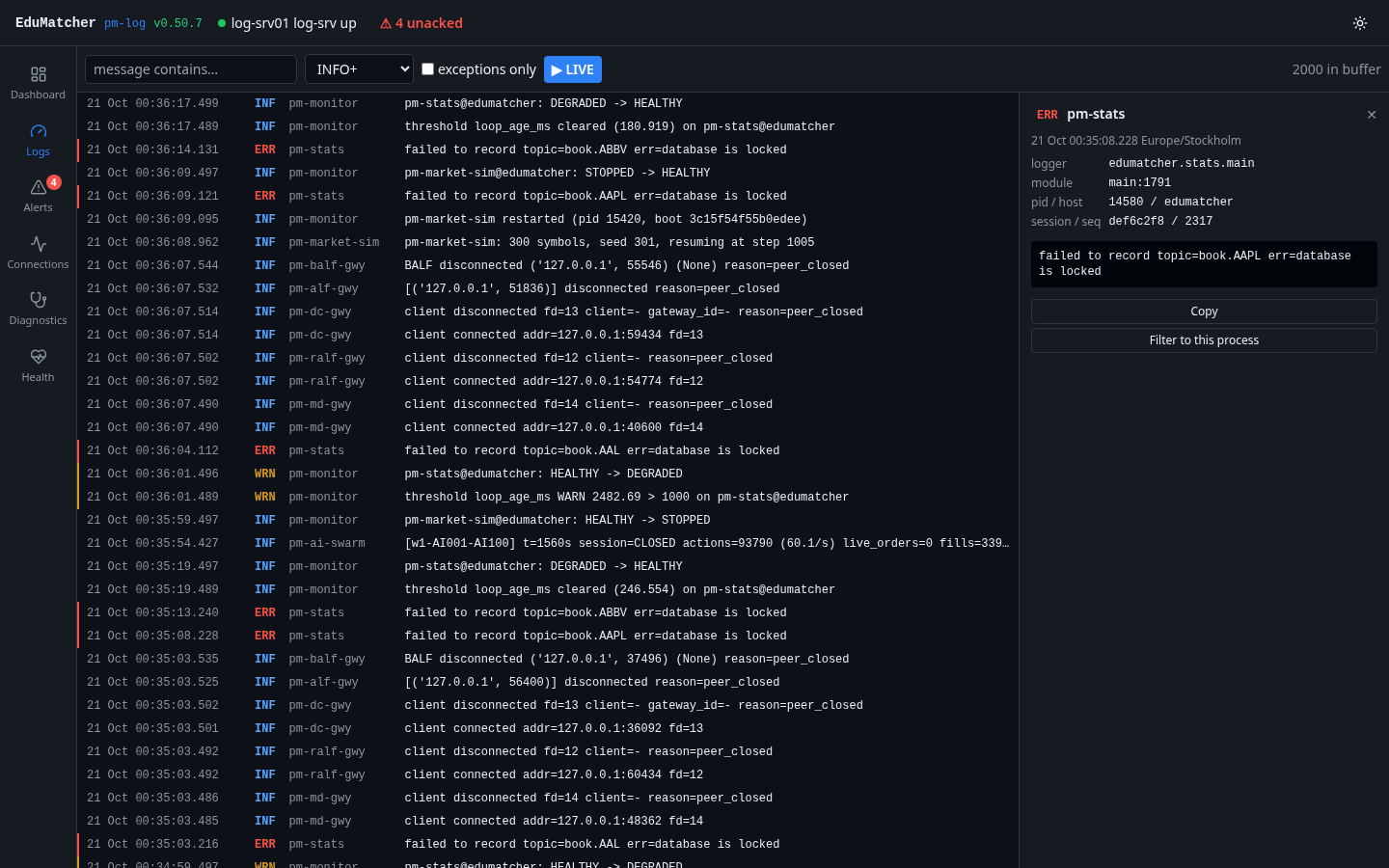
  • Live tail with level and text filters, a detail panel and “filter to this process”.
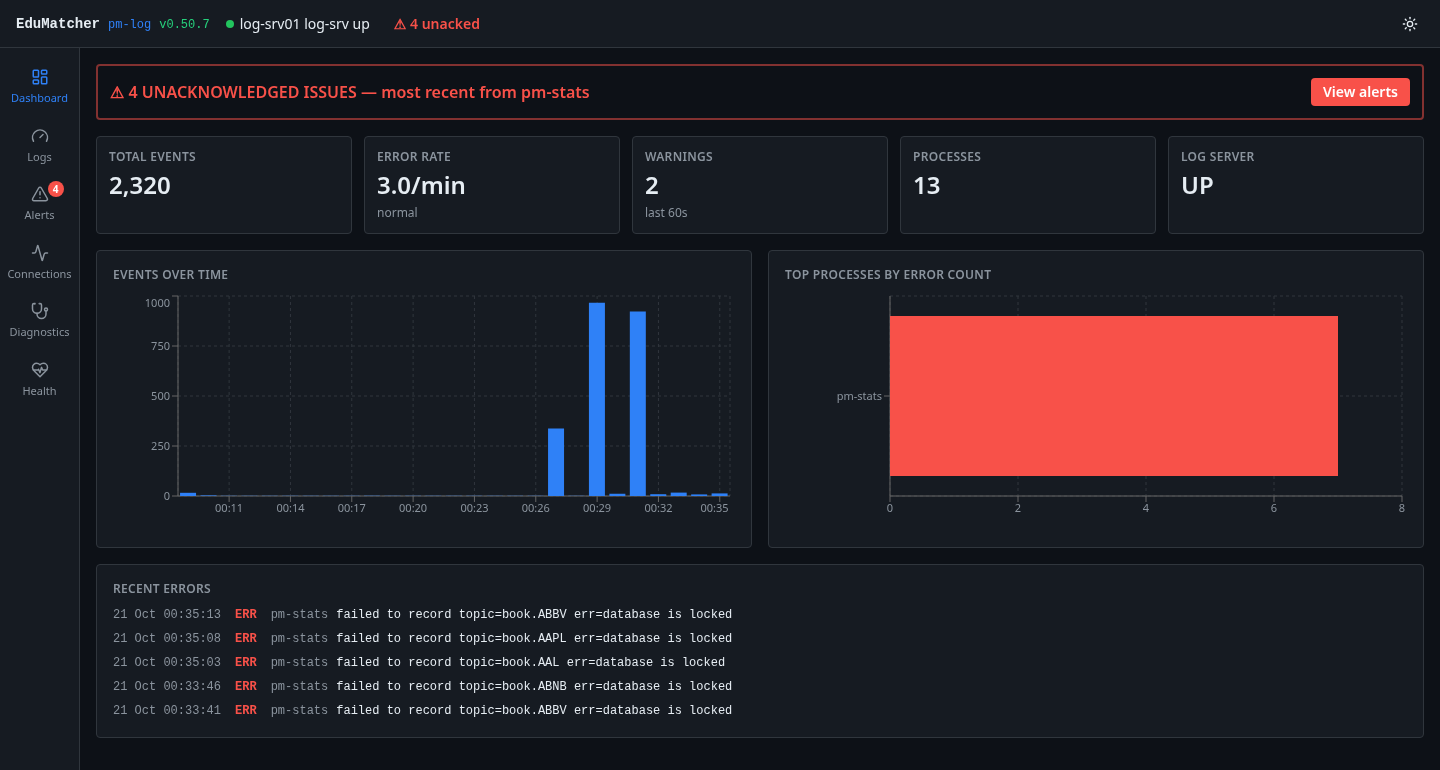
  • Alerts you can acknowledge, with a badge in the header.
  • Dashboards for events over time, error rate and top error sources.
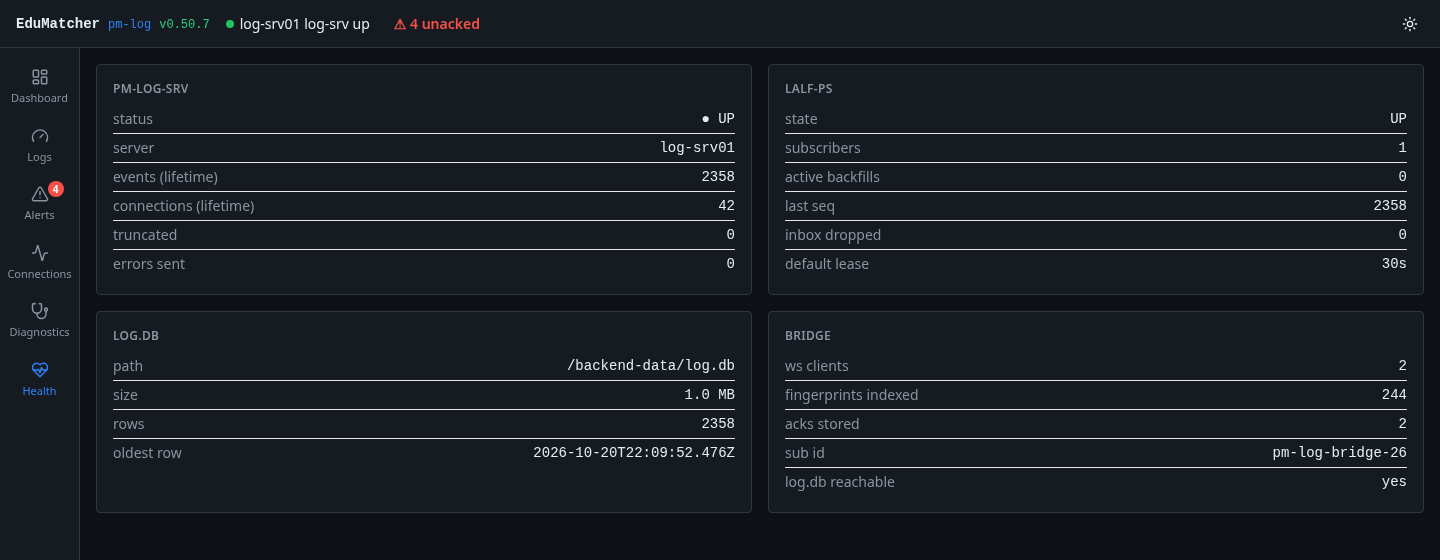
  • Connections, diagnostics and health views for the whole fleet.
  • Backed by the LALF protocol — your own tools can log into it too.
localhost:8091 — Logs
Log explorer with live log lines and detail panel
Log dashboard with alerts and charts
Dashboard & alerts
Health overview
Health

Configuration Builder

config-guilocalhost:8092design-time

Design a venue without writing YAML.

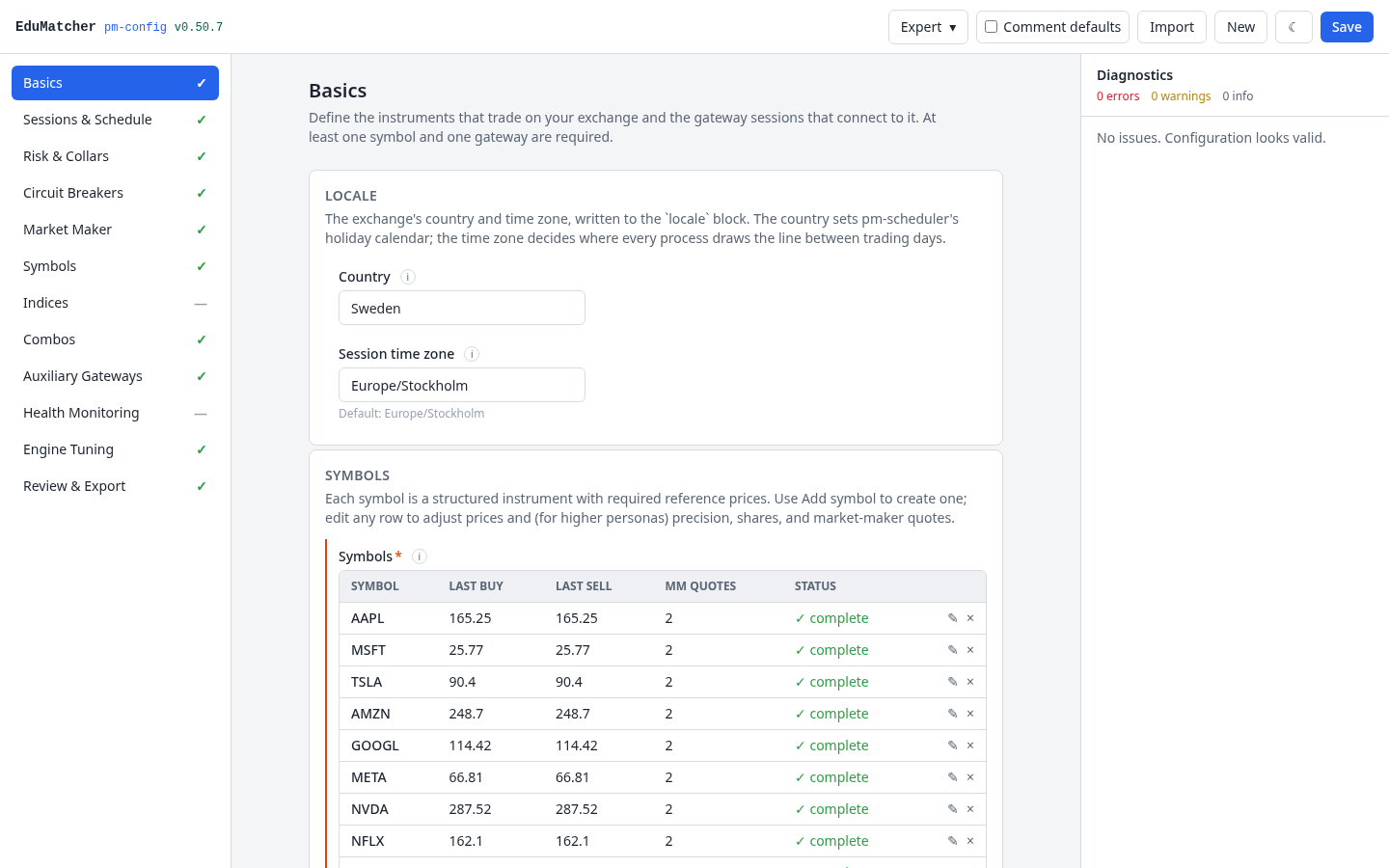
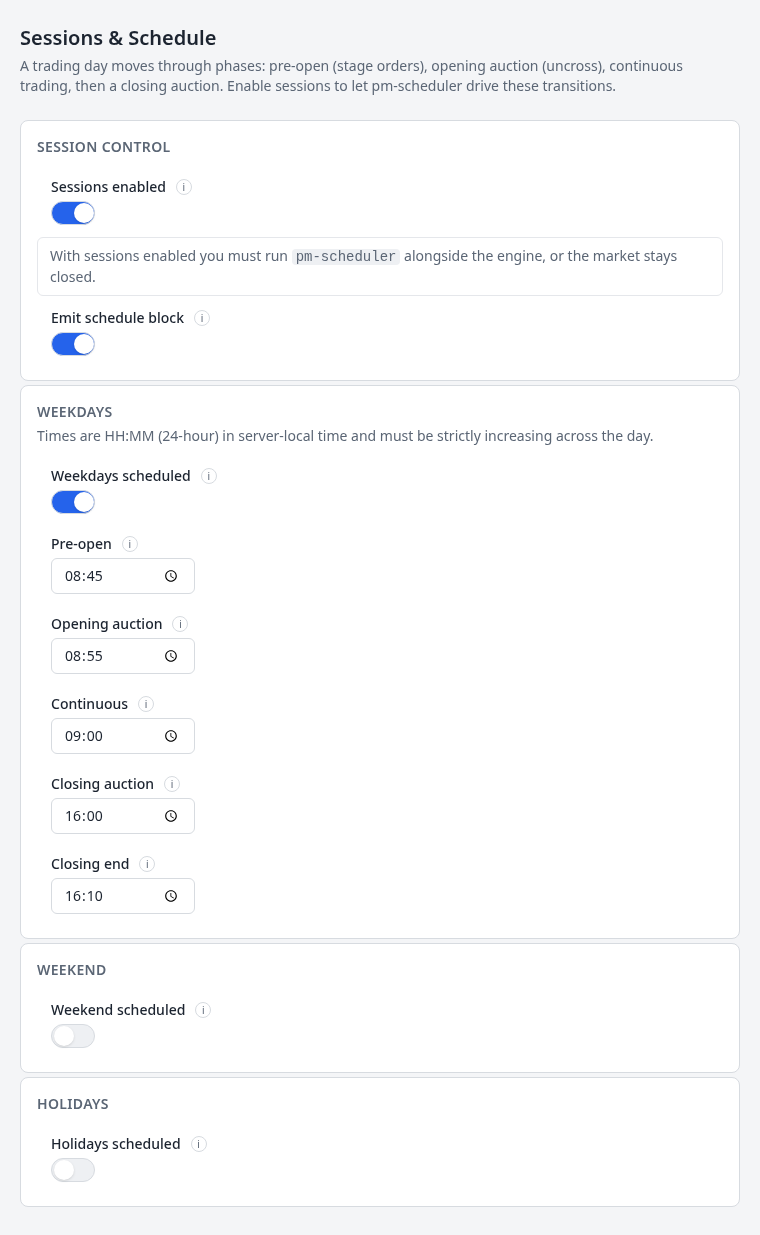
  • Twelve sections: basics, sessions & schedule, risk & collars, circuit breakers, market makers, symbols, indices, combos, gateways, health, tuning, review & export.
  • Live diagnostics — the same checks as pm-cverifier, as you type.
  • Persona levels that reveal more fields as you grow, with inline help on every field.
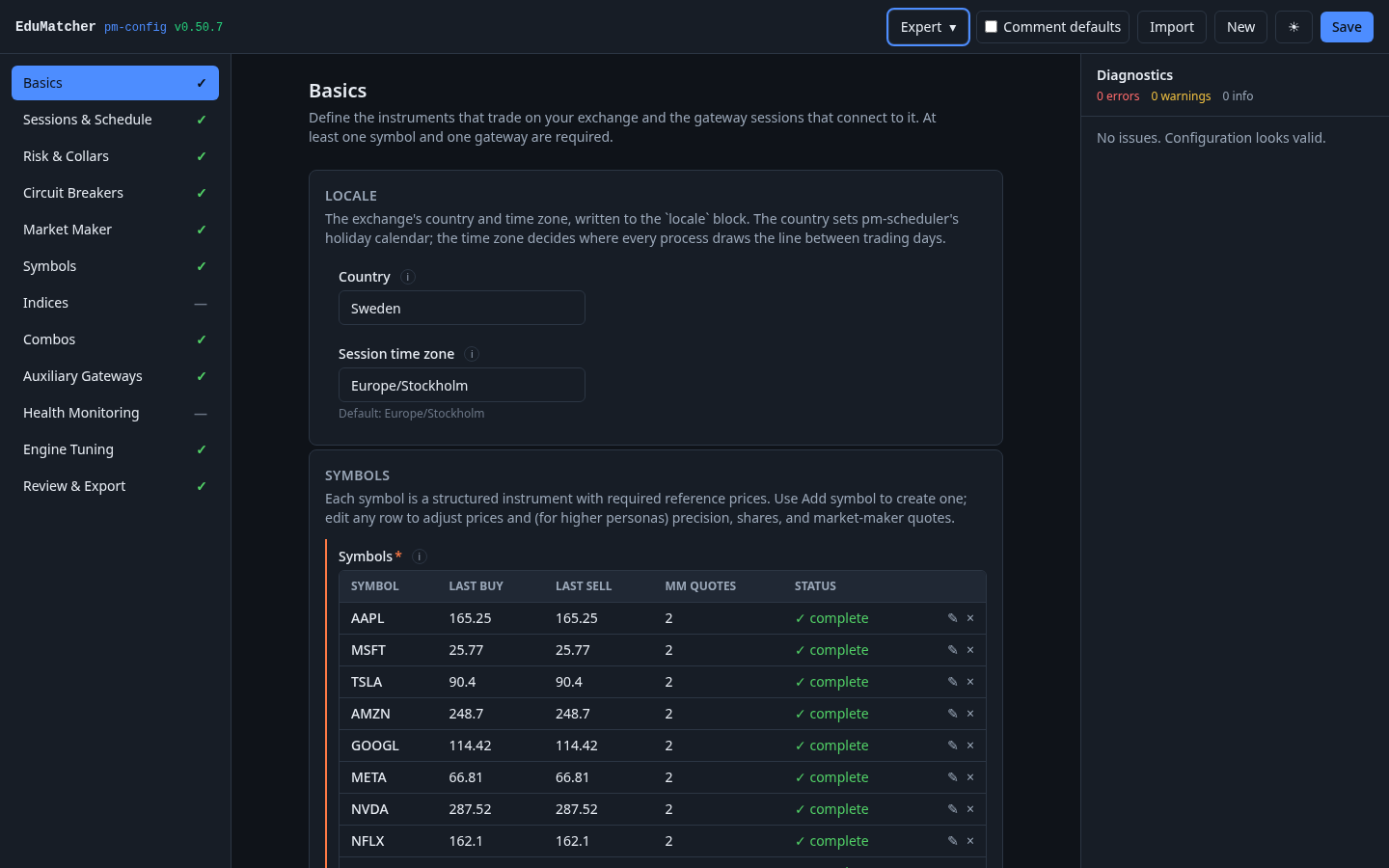
  • Import, review, draft restore and an export gate; light and dark themes.
localhost:8092 — Basics
Configuration GUI, light theme
Configuration GUI, dark theme
Dark theme
Sessions and schedule editor
Sessions & schedule
For the command line

The terminal never went away

Real exchange engineers live in the shell. EduMatcher ships 51 commands — consoles, live viewers, query tools and protocol spies. Inside the container, pm-help lists them all.

pm-alf-consoleInteractive trader console: tab completion, live events, positions and P&L.
pm-adminOperator console: session control, halts, circuit breakers, kill switch.
pm-viewerFull-screen live order book for one symbol, repainting on resize.
pm-boardFull-screen multi-symbol market board.
pm-tickerScrolling market ticker with headlines from the market model.
pm-ordersOrder status monitor for a participant.
pm-mm-botAutonomous market-maker bot that quotes every symbol.
pm-ai-swarmLaunches the AI-trader swarm, AI001–AI100.
pm-stats-cli · pm-clearing-cliQuery statistics, positions and P&L from the command line.
pm-audit-cli · pm-audit-replayQuery the audit trail and replay history against the engine.
pm-log-cli · pm-monitor-cliTroubleshoot from logs and health snapshots.
pm-calf-spy · pm-ralf-spy · pm-dc-spyWatch the market-data, post-trade and drop-copy feeds on the wire.
REST & WebSocket

The whole exchange
over HTTP

Everything the Trading GUI does goes through a documented API — so a script can too. Orders, cancels, quotes, history and live event streams, with interactive Swagger docs served by the gateway at /docs.

http · swagger
# interactive API docs, once the exchange is running
open http://localhost:8080/docs

# the same exchange, six ways to use it
pm-alf-console   # typed commands
pm-alf-gwy       # :5565 text over TCP
pm-balf-gwy      # :5560 binary over TCP
pm-api-gwy       # :8080 REST + WebSocket

See it with your own eyes

One command starts the exchange and every application on this page.